Bags and Blades Controls
Master drag, rotate, and place on every device so geometry mistakes stop ending runs.
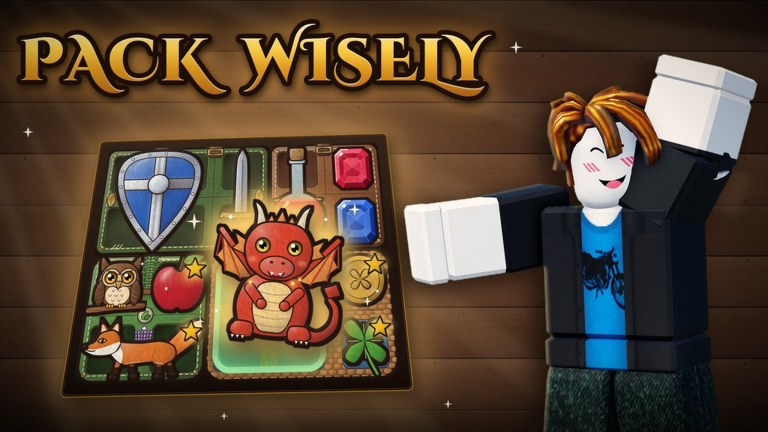
Bags and Blades is won between fights, and between fights your hands matter. This controls guide covers PC, mobile, and controller inputs for dragging items into the backpack, rotating shapes, confirming placement, and backing out of bad picks. Read it once, then drill in Tavern before your next Ranked session.
PC controls
| Action | Input |
|---|---|
| Move item | Click and drag |
| Rotate | R or right-click |
| Place / drop | Release drag on a valid cell |
| Cancel / back | UI back control / Esc as supported by Roblox UI |
PC is the best teacher for packing standards because iteration is fast. Habit to build: every new awkward shape gets all rotations tested before you sell it.
PC quality tips
- Keep the backpack UI fully visible—do not cover it with chat.
- Rotate first, translate second. Sliding a wrong orientation around wastes seconds.
- When comparing two placements, commit to a mental score: adjacency value vs slack preserved.
Mobile controls
| Action | Input |
|---|---|
| Move item | Drag with one finger |
| Rotate | Second finger tap/gesture while dragging |
| Place | Release on valid cells |
| Back | On-screen back / close |
Mobile packing is absolutely viable; it just punishes sloppy fingers. Zoom and hand posture matter. If your second-finger rotate feels inconsistent, practice ten rotations in a non-Ranked mode before climbing.
Mobile quality tips
- Use a stable grip; avoid one-hand panic shops at 1 heart.
- Watch for accidental double-taps that open the wrong UI panel.
- Redeem codes and group claims on mobile carefully—paste without trailing spaces (How to Redeem Codes).
Controller controls
| Action | Input |
|---|---|
| Aim / move ghost item | Stick |
| Place | A |
| Rotate | X |
| Back | B |
Controller players often buy fewer impulse legendaries because navigation is deliberate—that can be a hidden advantage. The risk is abandoning good pieces that “feel” hard to rotate. Force yourself through X rotations before selling.
Controller quality tips
- Lower camera or UI clutter if the bag is hard to see on TV.
- Develop a rhythm: stick aim → X rotate → A place → reassess adjacency.
- For text fields (codes), prefer PC/mobile paste when possible.
Universal packing workflow (all devices)
- Select the new item.
- Rotate through orientations while picturing the target neighborhood.
- Place only when adjacency or slack goals improve.
- If hearts are low, prioritize sustain pocket placement—see Packing Guide.
- Confirm you can still fit at least one large future shape.
Practice drills (15 minutes)
Drill A — Rotate literacy: In Tavern, pick up every purchased tile and cycle all rotations before placing.
Drill B — Slack guard: Finish a run never dropping below three empty flexible cells until fight 6.
Drill C — Device transfer: Play one run on mobile or controller after a PC session to keep skills portable.
Drill D — Emergency calm: At 2 hearts (even simulated), refuse to buy until you have rotated a defensive tile into place.
Controls mistakes that cost hearts
- Placing before rotating “just to see” and then mis-selling in panic.
- Forgetting second-finger rotate on mobile and concluding the item is impossible.
- Controller players skipping X and forcing ugly fits with A.
- Opening fights with a half-finished drag still ghosting (rare, but rejoin if UI desyncs).
Accessibility and comfort notes
Robux can buy comfort cosmetics, not advantage. If a UI scale or device change helps you see cells, use it—clarity is fair play. Avoid third-party macros or executors that “auto-rotate perfectly”; they risk bans and are covered in the safety stance on Scripts.
Where controls meet strategy
Clean inputs unlock everything else on the Guides Hub: subclass pivots mid-run, fusion placements, and Ranked composure. If you understand theory but still leak fights, film your hands for one shop phase—you will usually spot skipped rotations.
Master drag and rotate, and Bags and Blades starts looking like a puzzle you control instead of a roulette of shapes.
Frequently Asked Questions
Quick answers about packing, heroes, codes, and ranked play.
How do you rotate items on PC in Bags and Blades?
Press R or right-click while placing or dragging the item to cycle orientations before you commit.
How does mobile rotation work?
Drag with one finger and use a second finger to rotate. Practice in Tavern if the gesture feels inconsistent.
What are the controller binds?
Use the stick to aim, A to place, X to rotate, and B to go back.
Can I climb Ranked on mobile or controller?
Yes. Packing skill transfers. Drill rotations first so device speed does not limit your engines.